LiDAR odometry pipelines
Most parts of the MOLA-LO system are configured dynamically from a YAML file. Basically, the whole design about how many local map layers exist, the pointcloud processing pipelines, ICP matchers and optimizers, etc. can be changed from this YAML file, without the need to touch the code or recompile. Users can design new systems by learning how to modify the provided pipeline files.
The best way to understand the different parts of this file is to browse the YAML file of the default pipeline provided for 3D LiDARs. Most of the times, comments in the YAML are self-explanatory. In case of doubts, do not hesitate in opening an issue to ask.
Note
This page also enumerates all environment variables that can be defined to modify the behavior of the pipelines.
1. Default pipeline for 3D LiDAR (lidar3d-default.yaml)
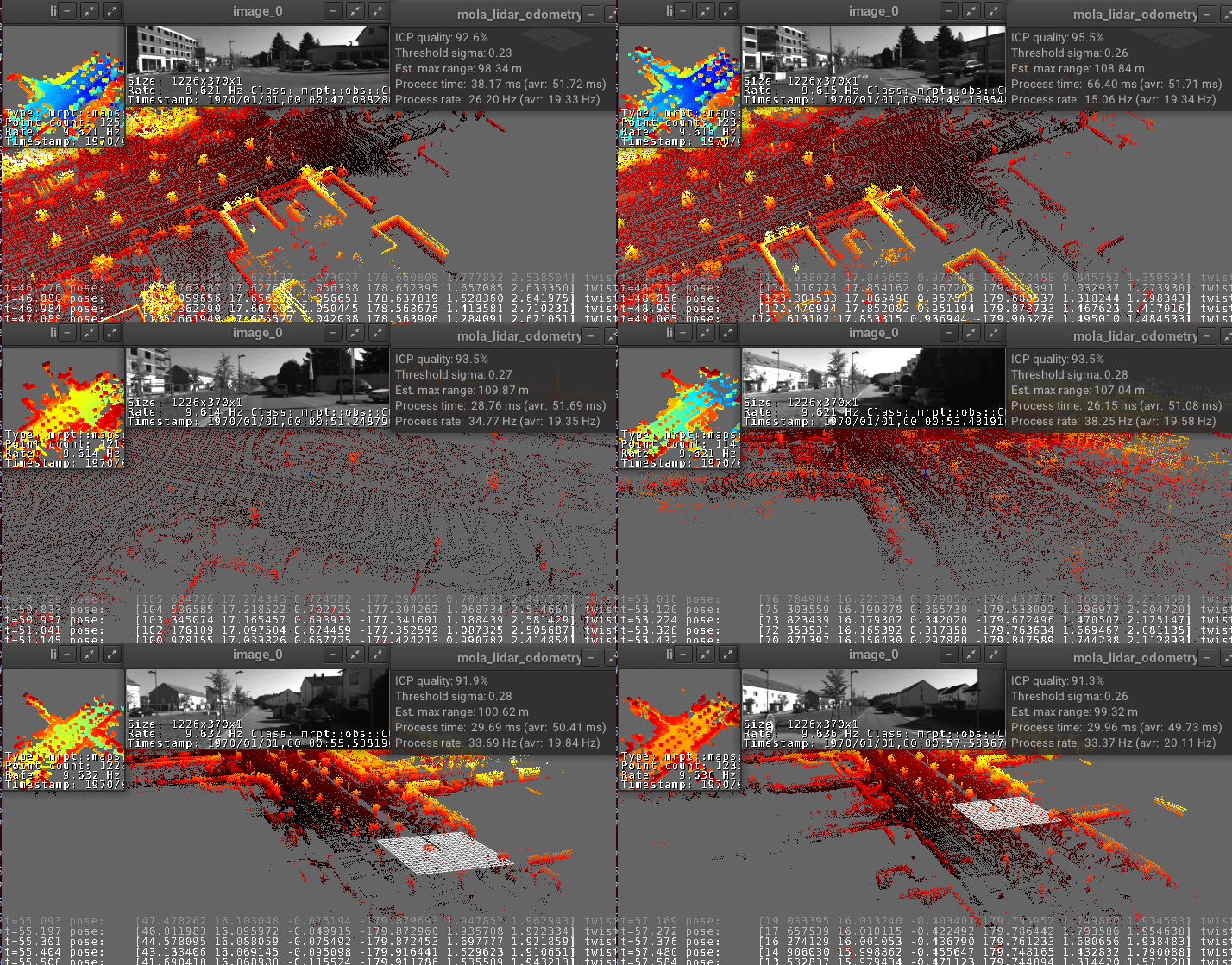
This is the reference configuration used for most examples in the MOLA-LO paper, and should work great out of the box for most common situations. As described in the paper :cite:`blanco2025mola_lo`, it defines a voxel-based 3D point-cloud local map, and filtering pipelines to downsample incoming raw LiDAR data.
2. 3D mapping pipeline using 3D-NDT (lidar3d-ndt.yaml)
This is an alternative configuration for 3D mapping used in the MOLA-LO paper, and should also work great out of the box for most common situations where, at least, part of the environment has flat surfaces.
As described in the paper :cite:`blanco2025mola_lo`, this pipeline uses an NDT-like :cite:`magnusson2007scan` local map, based on 3D voxels whose contents switch between bare points and Gaussians depending on how planar and how many points are. This pipeline exploits the point-to-plane pairings.
3. Pipeline for 2D LiDAR (lidar2d.yaml)
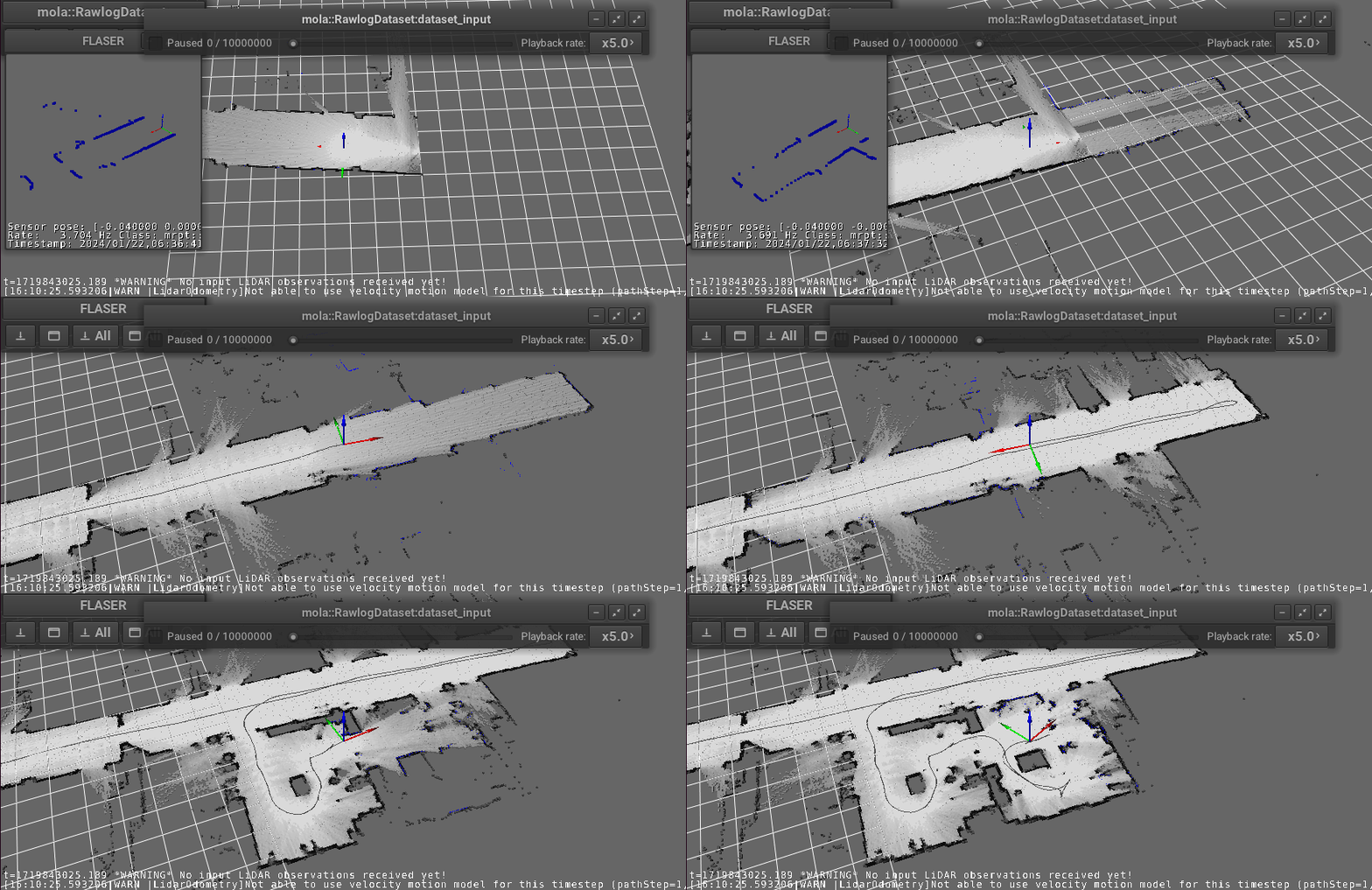
This alternative configuration uses an occupancy voxel map instead of point clouds as local map, and performs ray-tracing to accumulate evidence about the freeness or occupancy of voxels from 2D LiDAR scans. If it recommended to use wheels-based odometry to help the mapping process.
Configuring pipelines via environment variables
All the following environment variables can be set with export VAR=VALUE before
invoking any of the MOLA-LO programs (cli,gui, or ROS node), or directly as prefixes
to the invocation line, e.g. VAR1=VALUE1 VAR2=VALUE2 mola-xxx.
Unless said otherwise, all variables are valid for all the pipelines described above.
Note
If using MOLA-LO via mola-cli (which includes the GUI applications or the ROS 2 interface), there are additional environment variables to tune each particular mola-cli launch file. Those variables are documented here.
Sensor inputs: LiDAR
MOLA_LIDAR_NAME(Default:['lidar', '/ouster/points']): A sensor label (maybe including a regular expression) of what observations are to be treated as input LiDAR point clouds. For most dataset sources, the defaultlidaris enough. For ROS bags or live ROS 2 as sources, the default behavior is assigning sensor labels exactly the same than incoming ROS topic names, but in principle both are different things. Read carefully the contents of the mola-cli launch files and the comments therein to understand the differences.MOLA_LIDAR_COUNT(Default:1): Useful only if using several lidar_sensor_labels or regex’s. Can be used to work with vehicles with two or more LiDARs.MOLA_LIDAR_MAX_TIME_OFFSET(Default:0.1[s]): Maximum delay between different LiDAR observations to handle them together. Note that deskewing takes into account the exact delays between clouds from different LiDARs.MOLA_ABS_MIN_SENSOR_RANGE(Default:5.0[m]): Absolute minimum for the otherwise automatically detected maximum sensor range.MOLA_MINIMUM_RANGE_FILTER(Default: 3% of max sensor range). Minimum range for 3D points. This removes points from the robot/vehicle itself.
Sensor inputs: Wheels odometry
MOLA_ODOMETRY_NAME(Default:odometry): Sensor label (or regex) of the observations with wheels odometry, if it exists.
Sensor inputs: GPS (GNSS)
MOLA_GNSS_TOPIC(Default:/gps): For ROS 2 live node or rosbags, the topic name to be treated as GNSS data. Used only for storage in simple-maps for post-processing (geo-referencing, etc.).
MOLA_USE_FIXED_IMU_POSE
Scan de-skew options
MOLA_IGNORE_NO_POINT_STAMPS(Default:true): If enabled (default), input point clouds without per-point timestamps will be just processed without doing any de-skew on them. If this variable is set tofalse, an exception will be triggered in such event, which can be used as a fail-safe check against missing stamps, important in high velocity scenarios.MOLA_SKIP_DESKEW(Default:false): If enabled, scan de-skew (motion compensation) will be skipped.
General options
MOLA_OPTIMIZE_TWIST(Default:true): Whether to enable the optimization of vehicle twist (linear+angular velocity vectors) within the ICP loop. Useful for high-dynamics. Requires incoming point clouds with timestamps.MOLA_MAPPING_ENABLED(Default:true): Whether to update the local map. Might be temporarily disabled if so desired, or permanently disabled if using MOLA-LO for localization from a prebuilt map.MOLA_LOAD_MM(Default: none): An optional path to a metric map (*.mm) file with a prebuilt metric map. Useful for multisession mapping or localization-only mode.MOLA_MINIMUM_ICP_QUALITY(Default:0.25): Minimum quality (from thempcp_icpquality evaluators), in the range [0,1], to consider an ICP optimization to be valid.MOLA_SIGMA_MIN_MOTION(Default:0.10[m]): Absolute minimum adaptive “sigma” threshold (refer to the paper).MOLA_ADAPT_THRESHOLD_ALPHA(Default:0.9): Alpha parameter of the IIR low-pass filter for adaptive threshold proportional controller (refer to the paper).MOLA_START_ACTIVE(default:true): If set tofalse, the odometry pipeline will ignore incoming observations until active is set to true (e.g. via the GUI).
Local map update
MOLA_MIN_XYZ_BETWEEN_MAP_UPDATES(Default: a heuristic formula, see YAML file): Minimum distance in meters between updates to the local map.MOLA_MIN_ROT_BETWEEN_MAP_UPDATES(In degrees. Default: a heuristic formula, see YAML file): Minimum angle in degrees between updates to the local map.MOLA_LOCAL_MAP_MAX_SIZE(In meters; default: heuristic formula, see YAML file): Parts of the local metric map farther away then this distance, measured from the current robot pose, will be removed. This is to both, save memory usage, and to avoid inconsistencies before closing loops (which shall be processed outside of the LO module).MOLA_LOCAL_VOXELMAP_RESOLUTION(In meters; default: heuristic formula, see YAML file): Size of voxels for the local map.
Simple-map generation
MOLA_GENERATE_SIMPLEMAP(Default:false): If enabled, a simple-map will be saved at the end of the mapping session. This can then be used as input to any of themp2p_icpapplications.MOLA_SIMPLEMAP_OUTPUT(Default:final_map.simplemap): Can be used to change the output file name for maps.MOLA_SIMPLEMAP_MIN_XYZ(in meters),MOLA_SIMPLEMAP_MIN_ROT(in degrees): Minimum distance between simple-map keyframes. Useful to control the density of generated simple-maps. Defaults are heuristic formulas.MOLA_SIMPLEMAP_GENERATE_LAZY_LOAD(Default:false): If enabled, generated simple-map files will be much smaller since all heavy observations will be stored in external files, making much faster to process those maps afterwards.MOLA_SIMPLEMAP_ALSO_NON_KEYFRAMES(Default:false): If enabled, all LiDAR observations will generate a KeyFrame in the simple-map, but without real raw sensory data if the keyframe does not fulfill the minimum distance criteria above. Useful to generate, in post-processing, the full reconstruction of the vehicle trajectory without missing any timestep.
Trajectory files generation
MOLA_SAVE_TRAJECTORY(Default:false): If enabled, a TUM file will be saved at the end with the full vehicle trajectory.MOLA_TUM_TRAJECTORY_OUTPUT(Default:estimated_trajectory.tum): Can be used to change the output file name.
Visualization
These settings only have effects if launched via MOLA-LO GUI applications.
MOLA_VEHICLE_MODEL_FILE(Default: none): If provided, this is path to any 3D model file loadable via Assimp (e.g. Collada files*.dae) with a representation of the vehicle/robot to show in the GUI.MOLA_VEHICLE_MODEL_X,MOLA_VEHICLE_MODEL_Y,MOLA_VEHICLE_MODEL_Z,MOLA_VEHICLE_MODEL_YAW,MOLA_VEHICLE_MODEL_PITCH,MOLA_VEHICLE_MODEL_ROLL(default: 0): Define a transformation to apply to the 3D asset, if defined inMOLA_VEHICLE_MODEL_FILE. Translations are in meters, rotations in degrees.
Motion model
A constant velocity motion model is used by default, provided by the mola_state_estimation_simple module.
MOLA_MAX_TIME_TO_USE_VELOCITY_MODEL(Default: 0.75 s): Maximum time between LiDAR frames to use the velocity model. Larger delays will cause using the latest vehicle pose as initial guess.MOLA_NAVSTATE_SIGMA_RANDOM_WALK_LINACC(Default: 1.0 m/s²): Linear acceleration standard deviation.MOLA_NAVSTATE_SIGMA_RANDOM_WALK_ANGACC(Default: 10.0 rad/s²): Angular acceleration standard deviation.
ICP log files
MP2P_ICP_GENERATE_DEBUG_FILES(Default:false): If enabled,mp2p_icp::ICPlog files will be saved into a subdirectoryicp-logsunder the current directory. Those logs can be analyzed with the GUI tool: icp-log-viewer.
Note
Enabling ICP log files is the most powerful tool to debug mapping or localization issues or to understand what is going on under the hook. However, it introduces a significant cost in both, CPU running time, and disk space.
If MP2P_ICP_GENERATE_DEBUG_FILES is not enabled, the rest of parameters that follow have no effect:
MP2P_ICP_LOG_FILES_DECIMATION(Default:10): How many ICP runs to drop before saving one to disk.MP2P_ICP_LOG_FILES_SAVE_DETAILS(Default:false): If enabled, results, and pairings of intermediate optimization steps are also stored in the ICP logs. Great to learn how ICP actually works, but will increase the log file sizes.MP2P_ICP_LOG_FILES_SAVE_DETAILS_DECIMATION(Default:3): IfMP2P_ICP_LOG_FILES_SAVE_DETAILSis enabled, how many ICP internal iterations to drop for each saved one.
Trace debug files
“Trace” files are optional CSV files with low-level debugging information, sampled once per time step.
MOLA_SAVE_DEBUG_TRACES(Default:false): Whether to generate and save this debug information to a file.MOLA_DEBUG_TRACES_FILE(Default:mola-lo-traces.csv): The name of the file to store trace information, if enabled.